
Kubernetes: Azure Arc in a Talos Kubernetes Cluster
Azure Arc lets you connect a Kubernetes cluster to Azure and manage it from the portal, regardless of where it runs. In this case, a Talos cluster running on VMware at home, but it could be any Kubernetes cluster running anywhere. The cluster does not need any inbound ports open - the Arc agents run inside the cluster and maintain an outbound connection to Azure.
You also get MFA and Entra ID integration for authentication, and a live view of the cluster's resources in the portal.
What is Azure Arc?
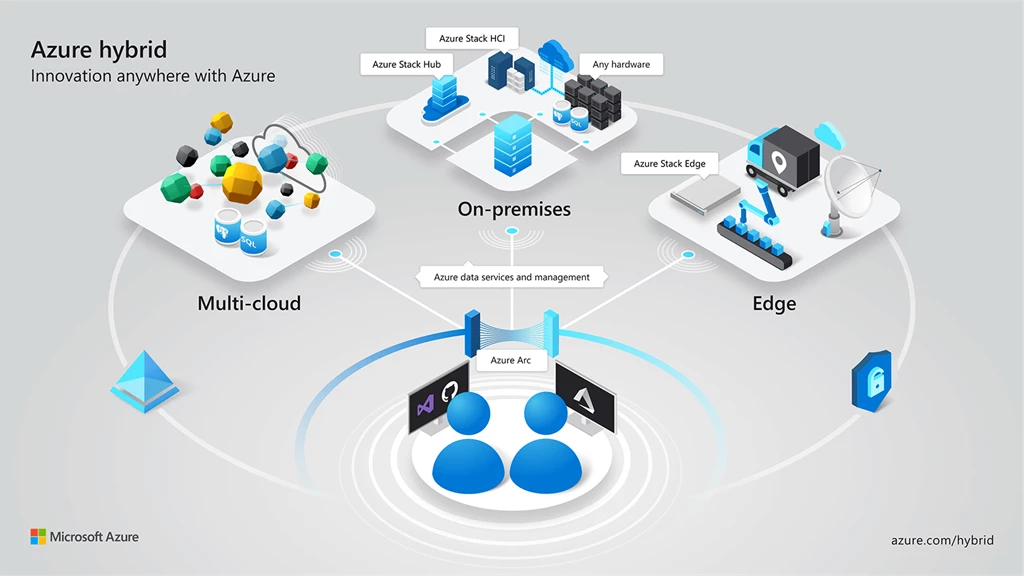
Azure Arc is Microsoft's solution for managing resources outside of Azure. It allows you to connect servers, Kubernetes clusters, and databases to Azure and manage them through the Azure Portal. For Kubernetes clusters, it deploys a set of agents that maintain an outbound connection to Azure, allowing you to see the cluster's resources and manage them without needing any inbound ports open.
Azure Arc is getting a lot of traction due to it help bridge the gap between on-premise and cloud, and even 3rd party clouds.
Azure Arc for Kubernetes promises the following features:
- View all connected Kubernetes clusters for inventory, grouping, and tagging, along with your Azure Kubernetes Service (AKS) clusters.
- Configure clusters and deploy applications by using GitOps-based configuration management with Argo CD or Flux v2.
- View and monitor your clusters by using Azure Monitor.
- Enable threat protection by using Microsoft Defender for Containers.
- Manage and report on compliance by using Azure Policy.
- Connect to your Kubernetes clusters from anywhere, and manage access by using Azure role-based access control (Azure RBAC).
- Deploy machine learning workloads by using Azure Machine Learning for Kubernetes clusters.
- Deploy and manage Kubernetes applications from Microsoft Marketplace.
- Deploy services that allow you to take advantage of specific hardware, comply with data residency requirements, or enable new scenarios, such as Azure Arc-enabled data services or Event Grid on Kubernetes.
- Use Azure Kubernetes Fleet Manager and its Arc-enabled Kubernetes cluster extension to tackle hybrid and multicloud Kubernetes management challenges at scale.
Source: Azure Arc-enabled Kubernetes overview
The main features I am interested in are the portal management and Entra ID authentication. I'm not quite sure making GitOps and Flux/ArgoCD through Azure is a good idea, but it is worth looking at for new setups.
Why did I look into it?
In my professional life I work with Azure full time. I wanted to see how the Azure Arc experience is for Kubernetes clusters, and if it could be a good way to bridge On-Premise and Cloud together. I also wanted to see how the authentication story works with Entra ID, and if it is a good alternative to static kubeconfigs and tokens for cluster access.
On-Premise is also seeing a bit of a comeback. Data sovereignty and regulatory requirements are pushing a lot of organisations to think twice about running everything in a public cloud, especially in Europe. Azure Arc fits well into that picture - you keep the workloads on your own infrastructure, but still get the management plane and identity layer from Azure. That is a reasonable trade for a lot of organisations that want the cloud tooling without the data leaving their own datacenters.
Getting started
For almost everything, I do i use PowerShell, and Microsoft have a really good quickstart guide for connecting a cluster to Arc here: Quickstart: Connect a Kubernetes cluster to Azure Arc
You should note that Microsoft does this through commands, and this is kinda not GitOps-y like putting it in Argo and Manifests. The comamnd does some actions behind the scenes to connect the cluster.
Lets break down the steps:
We need the following to get the cluster connected:
- The module Az.ConnectedKubernetes installed in PowerShell
- A resource group in Azure for the cluster to live in
- The Microsoft.Kubernetes, Microsoft.KubernetesConfiguration and Microsoft.ConnectedKubernetes resource providers registered
After that you can run a single command to connect the cluster, and Microsoft takes care of the rest. The full set of commands looks like this:
Install-Module -Name Az.ConnectedKubernetes
New-AzResourceGroup -Name MyResourceGroup -Location westeurope
Register-AzResourceProvider -ProviderNamespace Microsoft.Kubernetes
Register-AzResourceProvider -ProviderNamespace Microsoft.KubernetesConfiguration
Register-AzResourceProvider -ProviderNamespace Microsoft.ExtendedLocation
New-AzConnectedKubernetes -ClusterName MyCluster -ResourceGroupName MyResourceGroup -Location westeurope
After a few minutes the cluster will be connected, and you should be able to see it in the portal along with some basic info about the cluster:
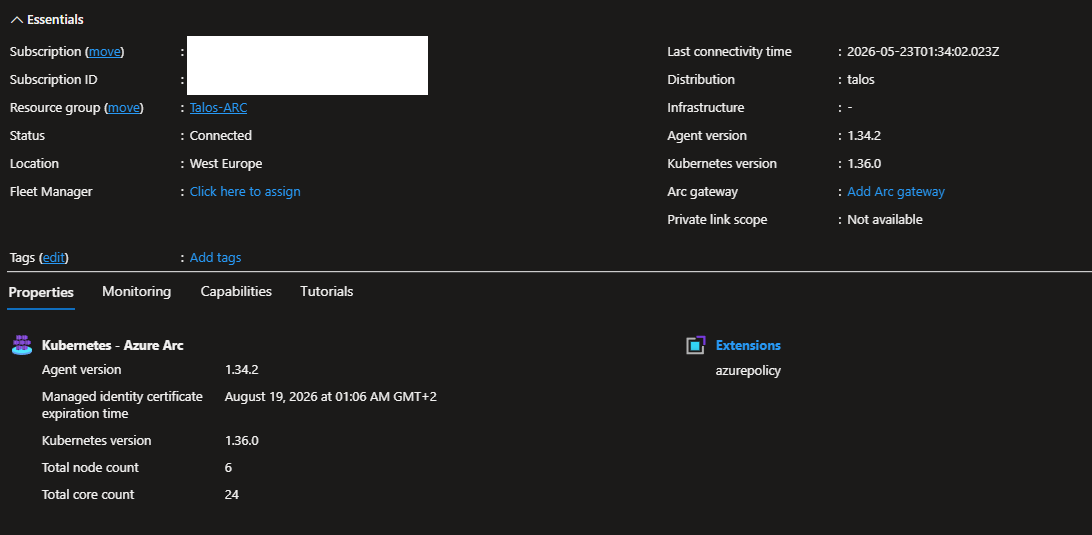
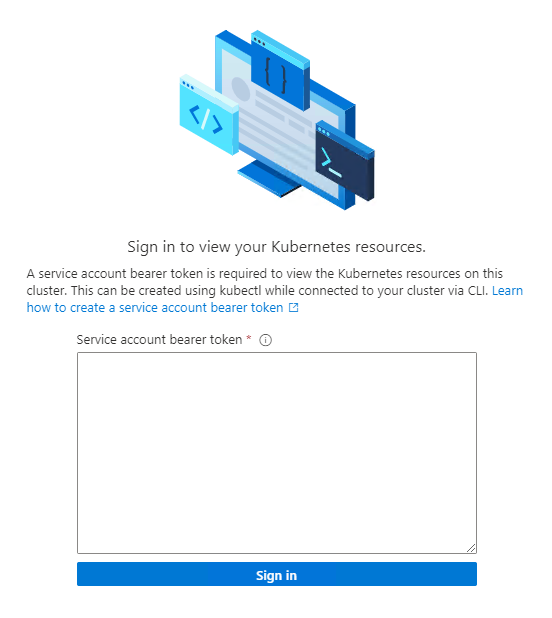
But at the moment the Kubernetes resources section will be empty, and if you try to click on it you will get a prompt to sign in with a service account token. So right now the cluster is more in a state where you can see some metadata about it, but you can't actually manage it or see the resources.
If you click "View Kubernetes resources" you get a prompt to paste a bearer token. This is because the cluster is connected, but there is no authentication set up yet. That is where the Entra ID integration comes in, which is what I will cover in the next section.
The error / prompt looks like this:
Authentication with Entra ID
Instead of a static kubeconfig or a token you have to paste every time, Arc lets you bind your Entra ID identity directly to a Kubernetes ClusterRoleBinding. From that point the portal uses your active Azure session - no separate token needed.
# Get your current user's Entra Object ID
$upn = (Get-AzContext).Account.Id
$entityId = (Get-AzADUser -UserPrincipalName $upn).Id

# Bind it to cluster-admin
kubectl create clusterrolebinding entra-user-binding --clusterrole cluster-admin --user $entityId
If you want to bind a group instead of a specific user, pass the group's Object ID with --group instead of --user. That way anyone in the group gets access without repeating the process per user.
After you have done that, you can refresh the portal and the Kubernetes resources should start showing up. You can also run az connectedk8s proxy to open a local proxy to the cluster through the Arc tunnel. See commands and output below:
> az connectedk8s proxy -n clustername -g resourcegroupname

    Preview version of extension is disabled by default for extension installation, enabled for modules without stable versions.
    Please run 'az config set extension.dynamic_install_allow_preview=true or false' to config it specifically.
    The command requires the extension connectedk8s. Do you want to install it now? The command will continue to run after the extension is installed. (Y/n): y
    Run 'az config set extension.use_dynamic_install=yes_without_prompt' to allow installing extensions without prompt.

    Proxy is listening on port 47011
    Merged "clustername" as current context in /Users/nikolaj/.kube/config
    Start sending kubectl requests on 'clustername' context using kubeconfig at /Users/nikolaj/.kube/config
    Press Ctrl+C to close proxy.
After that you can open another terminal and run kubectl get nodes for example, and it will work through the Arc tunnel using your Entra ID authentication:
> kubectl get nodes
NAME             STATUS   ROLES    AGE   VERSION
talos-node-1     Ready    <none>   10d   v1.36.0
talos-node-2     Ready    <none>   10d   v1.36.0
talos-node-3     Ready    <none>   10d   v1.36.0
Microsoft's documentation for the Entra authentication setup is here: Cluster connect - Microsoft Entra authentication option
What you can see
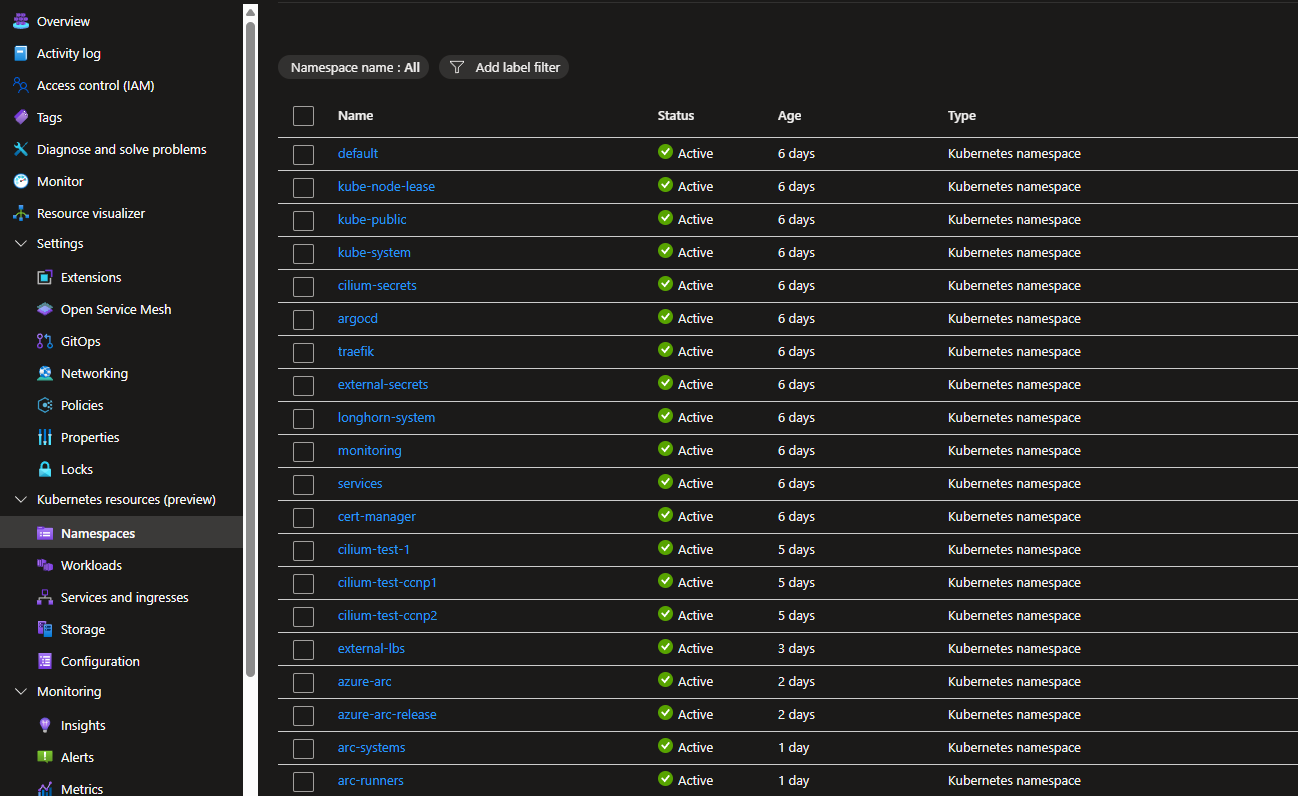
Once the Entra binding is in place you dont only get access to run commands, but also seeing the Kubernetes resources section in the portal. It covers Namespaces, Workloads (Deployments, DaemonSets, StatefulSets, Pods), Services, Storage (PVCs, StorageClasses) and Configuration (ConfigMaps, Secrets). It pulls live data from the cluster through the Arc tunnel, so what you see reflects the actual state.
GitOps
Azure Arc-enabled Kubernetes has a GitOps feature built in, backed by Flux or ArgoCD. You point it at a git repository and it syncs manifests into the cluster, similar to how ArgoCD works.
I have not used it. The cluster already runs ArgoCD and everything is wired up through that. Switching would mean migrating all the existing Applications and there is no reason to do that. If you are starting from scratch and are already in the Azure ecosystem, the Arc GitOps integration is worth looking at - it is a reasonable alternative to running ArgoCD or Flux yourself.
What did you actually get out of it?
I feel like it is a nice onboarding experience for Azure users, and the portal view of the cluster is a nice addition. Microsofts documentation for this is actually really good. For me I think that many will use this feature to easily connect and manage the Kubernetes clusters using Entra ID instead of static kubeconfigs and tokens. The portal view is nice to have, but I don't think it replaces kubectl or ArgoCD for actual management of the cluster.
Is it worth it to connect your cluster to Arc? If you are already in the Azure ecosystem and want the portal view and Entra ID integration, it is a good option. It dosen't cost anything to connect a cluster, and you can always disconnect it later if you don't like it.
Scripts
I have written two PowerShell scripts that handle this using Azure PowerShell (no az CLI dependency):
Onboard-AzureArc.ps1- connects the cluster to Arc, registers resource providers, creates the resource group if needed, and sets up the Entra binding as part of the same run.Onboard-AzureArc-Authentication.ps1- a standalone script for clusters already onboarded, for setting up or updating the Entra ClusterRoleBinding.
Both are available in the talos repository on GitHub.